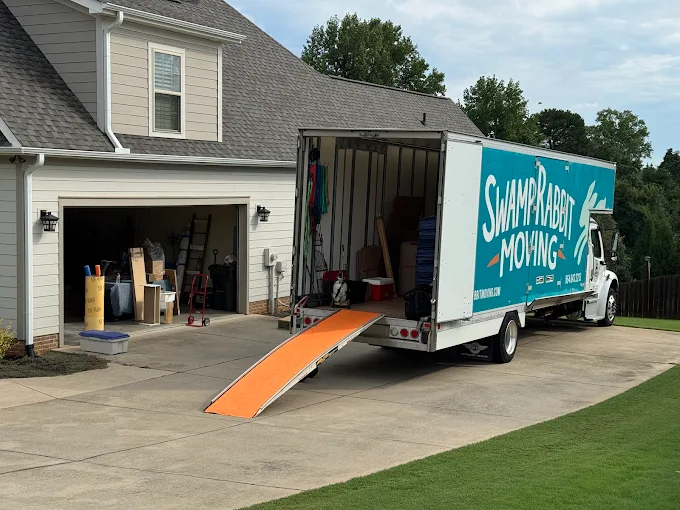
Everything you need to eliminate stress from your next move. Affordable moving, packing, and unpacking on residential, commercial, local, and long-distance moves.
We are mindful of getting the job done in a fast and efficient manner, all while still caring for your items. Ready to get your move on the road? Let our fast and friendly Rabbits get the job done for you!
We understand that moving can be stressful. At Swamp Rabbit Moving, we believe it doesn’t have to be! No matter where you’re moving to or from, whether it’s an apartment, a new house, or even long-distance, the Rabbits are here to make your move easy and reliable. We are licensed, bonded, and insured, so you can have peace of mind that your belongings are in good hands.
Preparing Smart Home Systems and Connected Devices for Relocation in Simpsonville
Smart home technology has become a standard part of a lot of Simpsonville households. Thermostats, security cameras, video doorbells, smart locks, voice assistants, and automated lighting systems add real convenience to daily life. They also add a layer of complexity to a move that most people do not think about until the packing has already started.
These devices do not just unplug and go in a box. Some are wired into your home's electrical or HVAC infrastructure. Others are tied to accounts, networks, and configurations that need careful handling to transfer properly.
A professional moving company that understands how to manage tech-heavy homes can help a lot here. Getting ahead of these tasks before moving day saves a significant amount of frustration.
Why Smart Devices Need Their Own Pre-Move Checklist
A standard household move has a clear sequence: pack, load, transport, unload, and reassemble. Smart home devices do not fit neatly into that sequence because they sit at the intersection of hardware and software. A smart thermostat is not just a physical unit to pull off the wall. It may be wired to your current HVAC system in a way that does not match your new home's configuration.
A security camera mounted outside has weatherproofing and specific mount hardware that needs to come down carefully if the unit is going to be reinstalled properly at your new Simpsonville address. That kind of detail is easy to miss when you are just moving fast and trying to get things done. You know, smart devices just need a bit more thought than a box of books.
A dedicated checklist for smart devices a few weeks before packing day helps you avoid overlooking anything. It also gives you the chance to decide which devices are worth bringing, which could reasonably stay with the home if you are selling, and which you would rather replace with updated models at the new location.
This is honestly where professional packing services make sense, because having an experienced team handle the technical and fragile stuff means fewer surprises on move-in day. Those decisions are far easier to make during the planning phase than in the middle of a move.
Devices That Require Careful Disconnection Before You Move
Some smart home devices need more than simply being unplugged. Here is what to keep in mind for each:
Smart thermostats are typically wired directly into your HVAC system with low-voltage connections. Removing them incorrectly can expose wiring or leave the system inoperable until a technician comes out. If you are not comfortable with low-voltage wiring, having an HVAC technician handle the disconnect is a small cost that prevents a larger problem.
Outdoor security cameras mounted to siding or brick need to come down with attention to the mounting hardware and the surface underneath. Wired exterior cameras require the right tools and some patience to remove cleanly.
Smart locks should be reset to factory settings before you hand over the keys, both for your security and for the new occupants' peace of mind.
Any device connected to your home's electrical system beyond a standard outlet deserves its own spot on the prep checklist, not a rushed pull on the morning of the move.
How to Pack and Protect Smart Home Hardware During Transport
Smart home hardware is more sensitive to impact and vibration than most household goods. Devices with screens, precision sensors, or internally calibrated components need protection that reflects that.
A smart display has a glass face that warrants the same care you would give a piece of framed artwork. A hub with internal antennas and circuit boards should travel with firm cushioning on all sides to prevent damage from shifting during transport.
Original packaging is the best option if you still have it. For devices where the box is long gone, wrapping each unit individually in packing paper and placing it in a padded box with support on all sides is the right approach. Label the box clearly as electronics and make sure it gets loaded in a position where heavier items will not sit on top.
Letting our team at Swamp Rabbit Moving know which boxes contain sensitive electronics before loading means those boxes get handled accordingly throughout the job, whether you're working with us as your local mover for a short trip across Simpsonville or something further out.
Setting Up Your Smart Home System at Your New Simpsonville Address
Reinstalling a smart home system at a new address often takes more time than the initial setup did. Every device needs to connect to the new home's Wi-Fi network, which means going through the pairing process again for most of them.
Depending on the brand and device type, this can range from a quick reconnection through the app to a full factory reset and fresh installation from scratch.
Start with the highest-priority devices first:
The thermostat
The front door smart lock
Security cameras covering the main entry points
Get those running before moving on to supplementary devices like:
Smart lighting groups
Voice assistants
Automation routines
Trying to configure everything at once while surrounded by unpacked boxes is a reliable path to missed steps and unnecessary troubleshooting. Give each setup its own focused session, and keep notes on any settings that took time to configure so you do not have to start over if something resets unexpectedly later.
What to Do With Smart Devices You Are Leaving at Your Old Home
If you are selling your Simpsonville home and leaving smart devices behind, every one connected to your personal accounts or home network needs to be factory reset and removed from your account before closing. This includes:
Smart locks
Video doorbells
Security cameras
Smart displays
Any hub or controller managing multiple devices throughout the home
Skipping this step leaves the new owners with equipment they cannot fully use and, in the case of cameras and door locks, creates a security gap for both parties. Most smart home manufacturers document the reset process clearly in their app or on their support pages.
Working through this list a few days before your move-out date gives you enough time to handle any devices that are stubborn or require a support call to sort out properly.
Getting Your New Home's Network Ready Before the Devices Arrive
The foundation of any smart home is a reliable internet connection. If you are moving into a home in Simpsonville, scheduling your internet installation before moving day means you have a working network ready from the start. Pairing smart home systems over a mobile hotspot adds unnecessary steps and troubleshooting to what is already a full day.
Once the main network is up, check whether your previous router setup will work in the new space. A larger home may need a mesh network to cover all the rooms where you use connected devices.
A different floor plan might mean repositioning the router for better signal distribution throughout the house. Sorting out the network before reconnecting all your devices saves multiple rounds of troubleshooting in the first week.
At Swamp Rabbit Moving, we handle the physical side of your relocation carefully and on schedule. A little technical prep on your end means everything gets back to working order faster once you are settled into your new Simpsonville home.
We began as a small company, me and a few guys, and 1 truck in October of 2020. Since then, we have grown to 19 trucks, a staff 60, and a 40,000-square-foot warehouse. To say I’m blessed with a great team is a vast understatement. During this journey, we have provided living wage jobs to all our employees and poured back into our community in big ways. That is something I’m truly proud of.